
DOC.#
DOC.#
TIP SHEETB-3475-3342010 Lexus LS460Push-to-Start/Gas
Thank you for purchasing your remote start from MyPushcart.com - an industry leader in providing remote starts to do-it-yourself installers since 1999. The purpose of this tip sheet is to help you organize your installation. If you are having difficulties please contact our Technical Support Department by clicking here https://mypushcart.com/helpme/ OR PHONE: (520) 572-2220 M-F 9-5 ARIZONA time.
Help us help you:
 The best way to get support the soonest is to open an online ticket. Phone calls are always welcome. The phones are answered by receptionists who can take your information and create the same ticket you can create using the link above. Tickets are handled in the order in which they are received. THANK YOU
Disclaimer
Neither the manufacturer nor the distributor of these components are responsible for damages of any kind either indirectly or directly caused by the components, except for the replacement of the components in case of manufacturing defects. This guide is subject to change without notice. Refresh your browser cache or use different browser (Edge, Chrome, Firefox, etc.) to view the latest update.
Only compatible with automatic transmission vehicles manufactured for sale in the US and Canada.
REMOTE START ACTIVATION

⇒ Firmware pre-loaded: As part of the service MPC provides, we have already flashed the compatible firmware version and options into your EVO-ALL module for you so you are ready to begin the installation in the vehicle. You will need to program the module to the vehicle when the installation is complete.

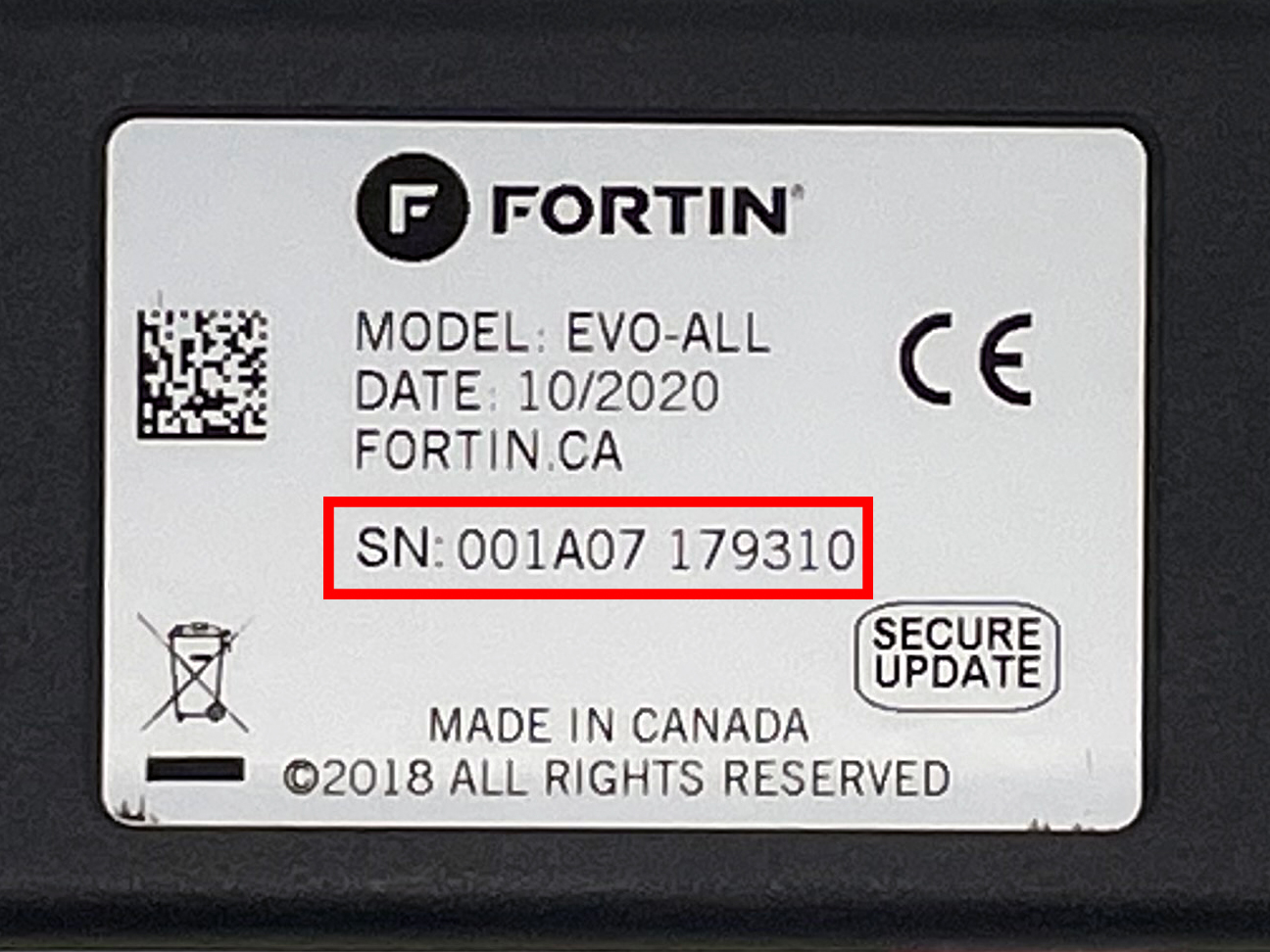
⇒ Document service number: Take a picture of the metallic sticker on the back side of the EVO-ALL module brain as shown in the example below or write down the service number. Should you need tech support, this number will assist us in troubleshooting your kit. If you need to submit a help ticket, make sure to include the service number.
Overview
There are 5 basic steps to this remote start installation:
1. Preparation
2. Wiring
3. Programming
4. Testing the system
5. Finishing up!
STEP 1: Preparation
WHERE TO FIND YOUR WIRES
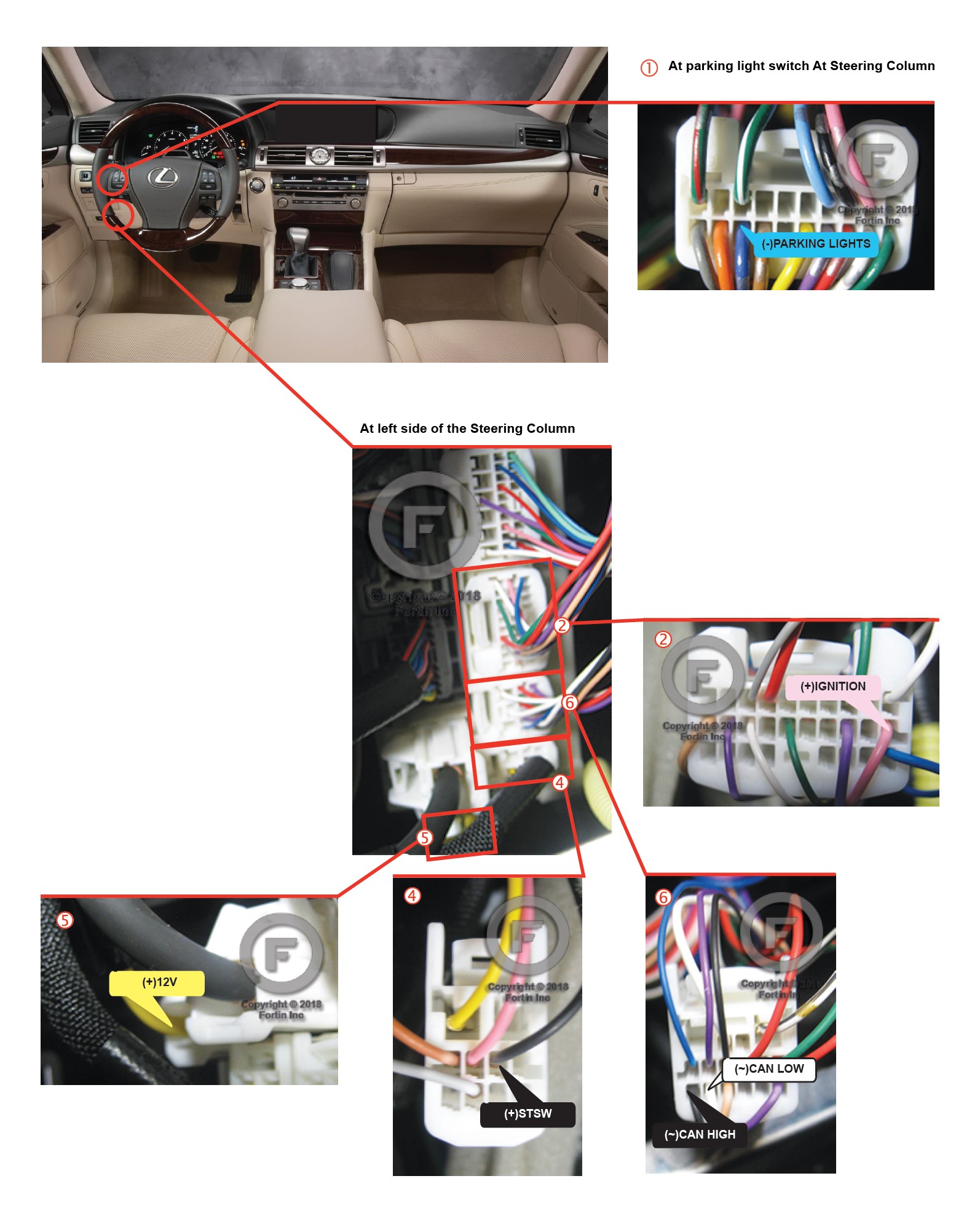
STEP 2: Wiring
How to Make Wire Connections
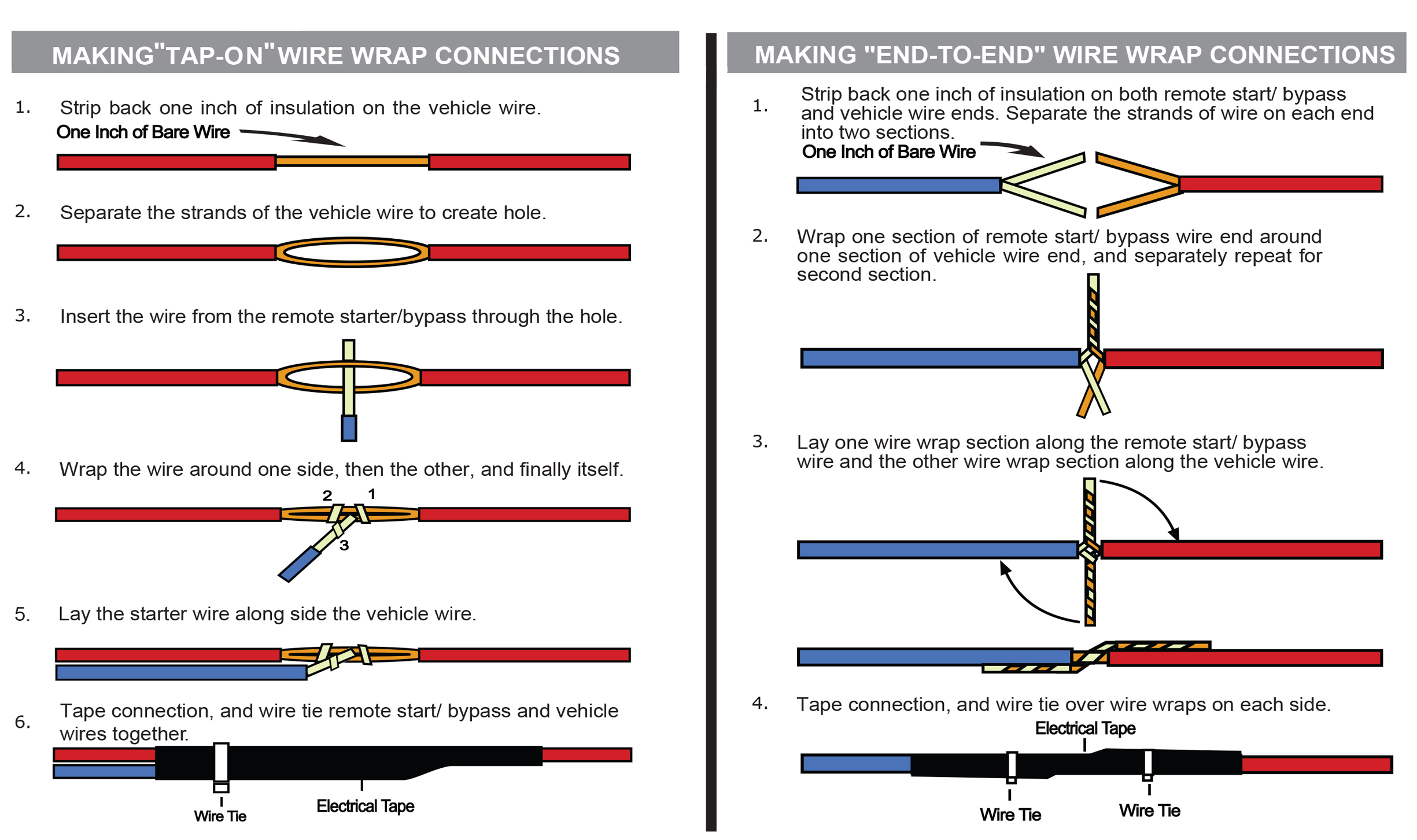
Strip - Poke - Wrap and Tape method is the best wire connection that you can make. You MUST use this method for any data wire connection(s). T-Taps should never be used on data connections. If required for your installation, data connections may be labeled: CAN HIGH, CAN LOW, IMMO, IMI, IMO, RX, TX, or Passlock. Do not solder unless you know how to do it really well.
Click here for directions on how to Strip/Poke/Wrap/Tape the wires
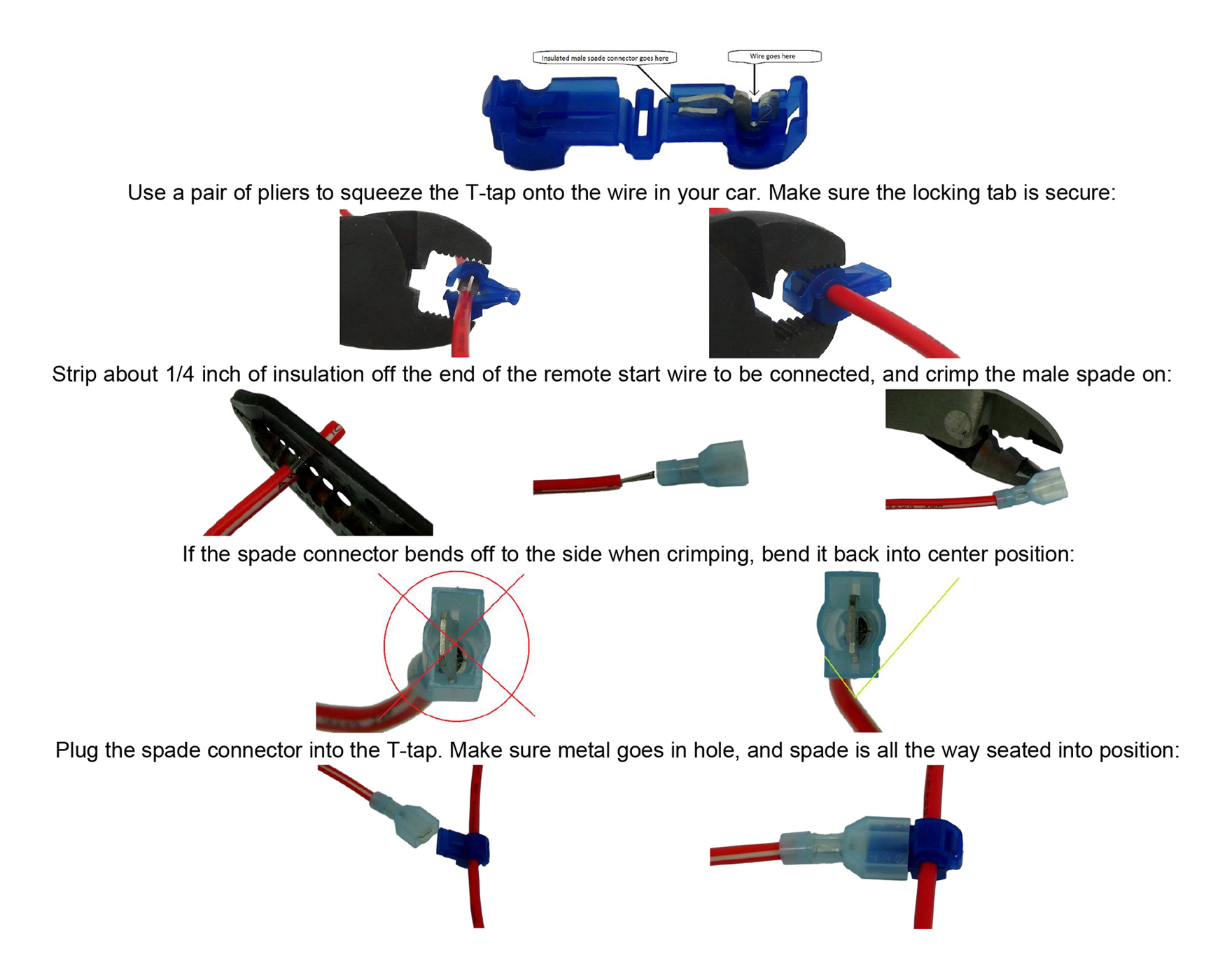
The recommended Strip - Poke - Wrap and Tape method shown above is the most reliable for remote start installations. Your kit may include T-Tap connectors that can make your connections easier, and still perform reliably when used correctly. T-taps can be used on any connections except for the Data wire connection(s).
Click here for directions on how to use a T-Tap
Wiring Diagram
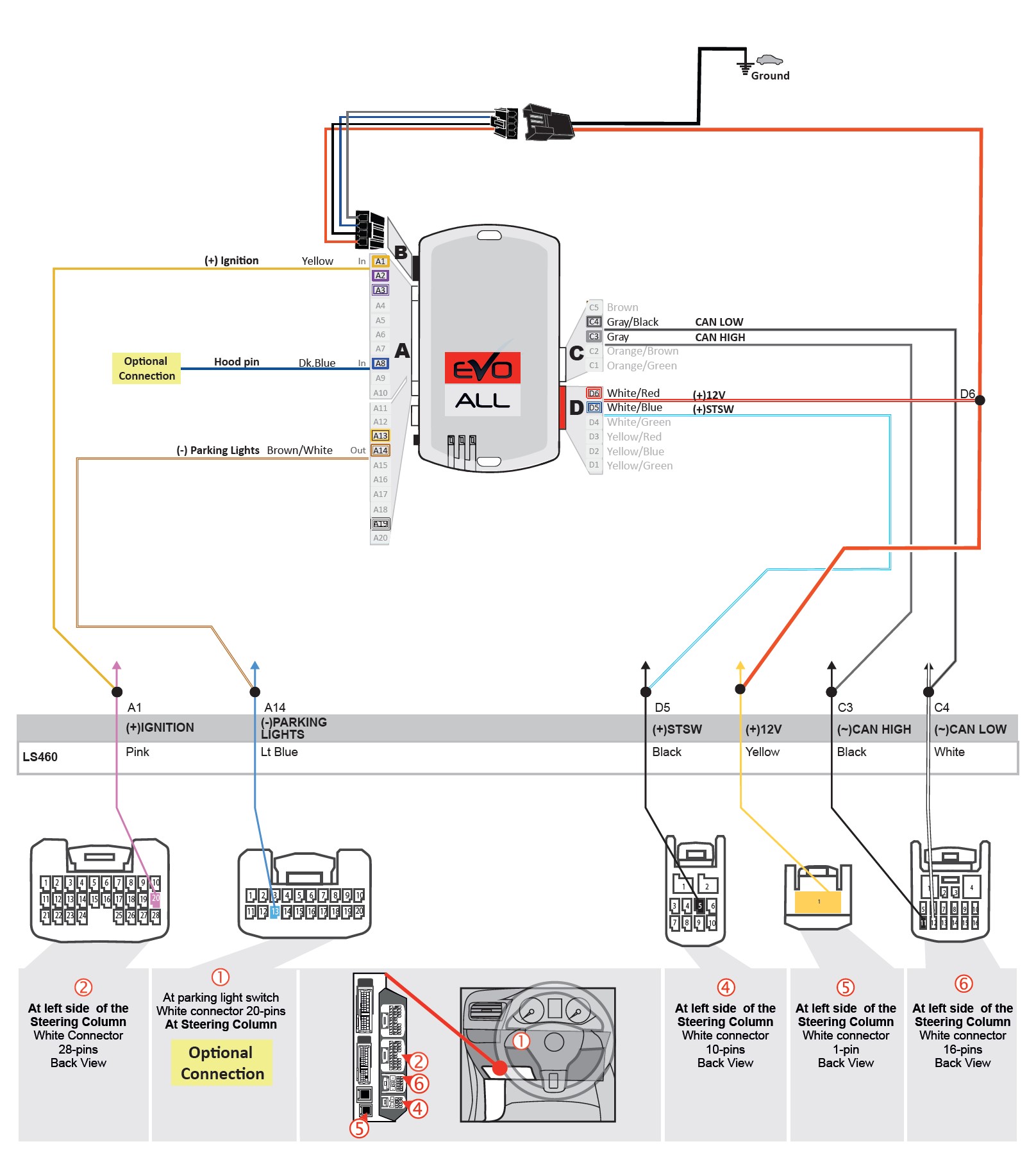
STEP 3: Programming
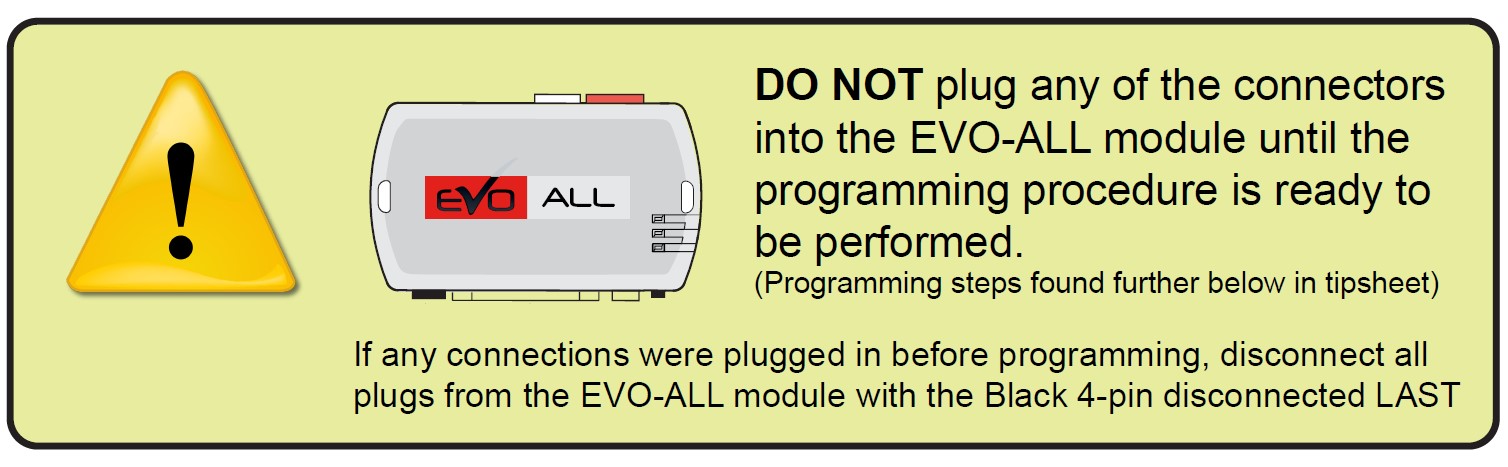
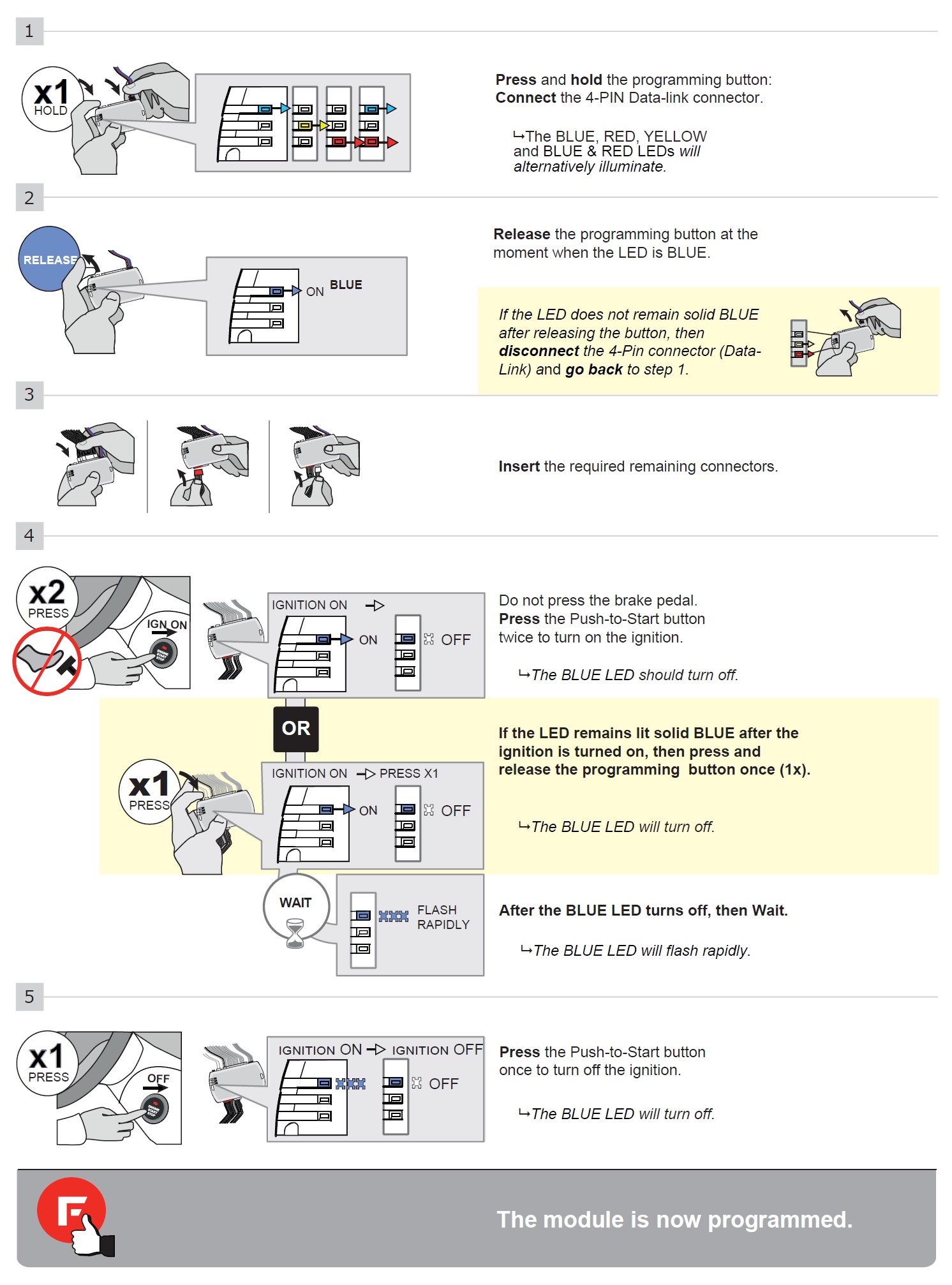
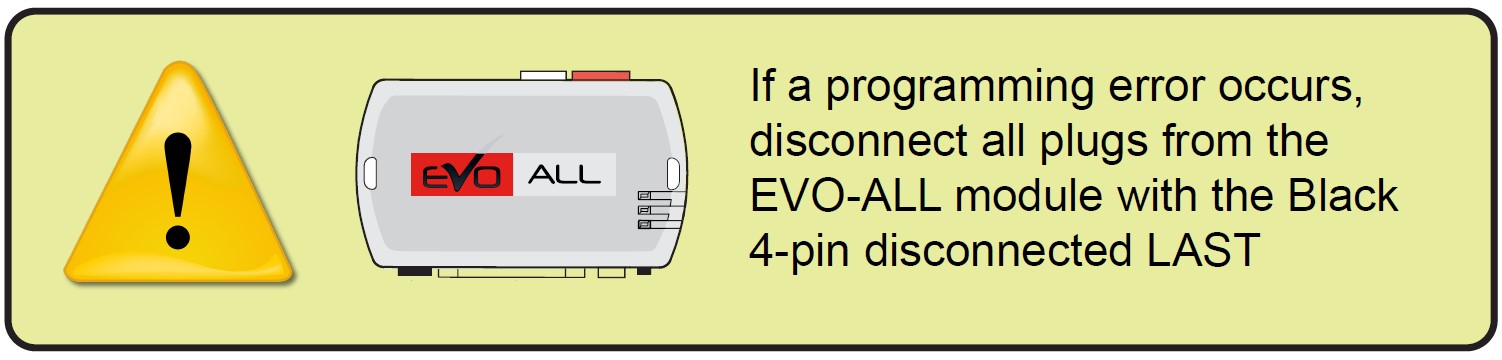
Before starting the programming sequence, make sure that none of the connectors are plugged into the EVO-ALL. Instructions for programming the EVO-ALL are below. Here are a few important tips to help you avoid common mistakes:
STEP 4: Testing the system
• Once all wiring and programming are done, you should test the system to make sure everything is working properly before you finish up the installation.

1. Take all vehicle keys with you, and exit the vehicle. Make sure all doors and hood are closed.
2. Press the lock button on the vehicle factory OEM remote three times in succession. Timing is important! Pressing the lock button too fast or too slow will not activate the system. The presses should be about 1 second apart.
3. A few seconds later the vehicle gauges should power up. Then a few more seconds later the starter should crank and the engine turn on. Make sure the vehicle stays running at least a couple minutes, and that the climate controls are working. If the optional parking light wire is connected, the parking lights will turn on when the vehicle is remote started as a visual indicator. The engine will remain running for 15 minutes (default) or until it receives signal from a shutdown mechanism.
4. Enter the vehicle and step on the brake pedal.
5. Pressing the brake pedal is the shutdown mechanism in most applications. Opening a door, or pressing the pust-to-start button is the shutdown mechanism for some push-to-start vehicle applications (refer to KEY TAKEOVER section). Make sure the shutdown mechanism is working. If your factory remote stays operational while the vehicle is running (on some vehicles it does not), then the remote starter can also be shutdown by pressing the lock button three times again on the factory OEM remote, or opening the hood.
* If your testing was unsuccessful, go back and re-check your wiring and programming. Make sure there are no bent pins or loose wires, and that all vehicle plugs you may have disconnected in the area you were working are properly re-connected. If you used T- Taps, make sure they are all attached correctly. Remember that T-Taps should never be used on data connections. Depending on the vehicle, those connections could be labeled Data, Can Hi, Can Low, IMMO, IMI, RX, TX or Passlock.

Adding Optional Long-Range Controllers
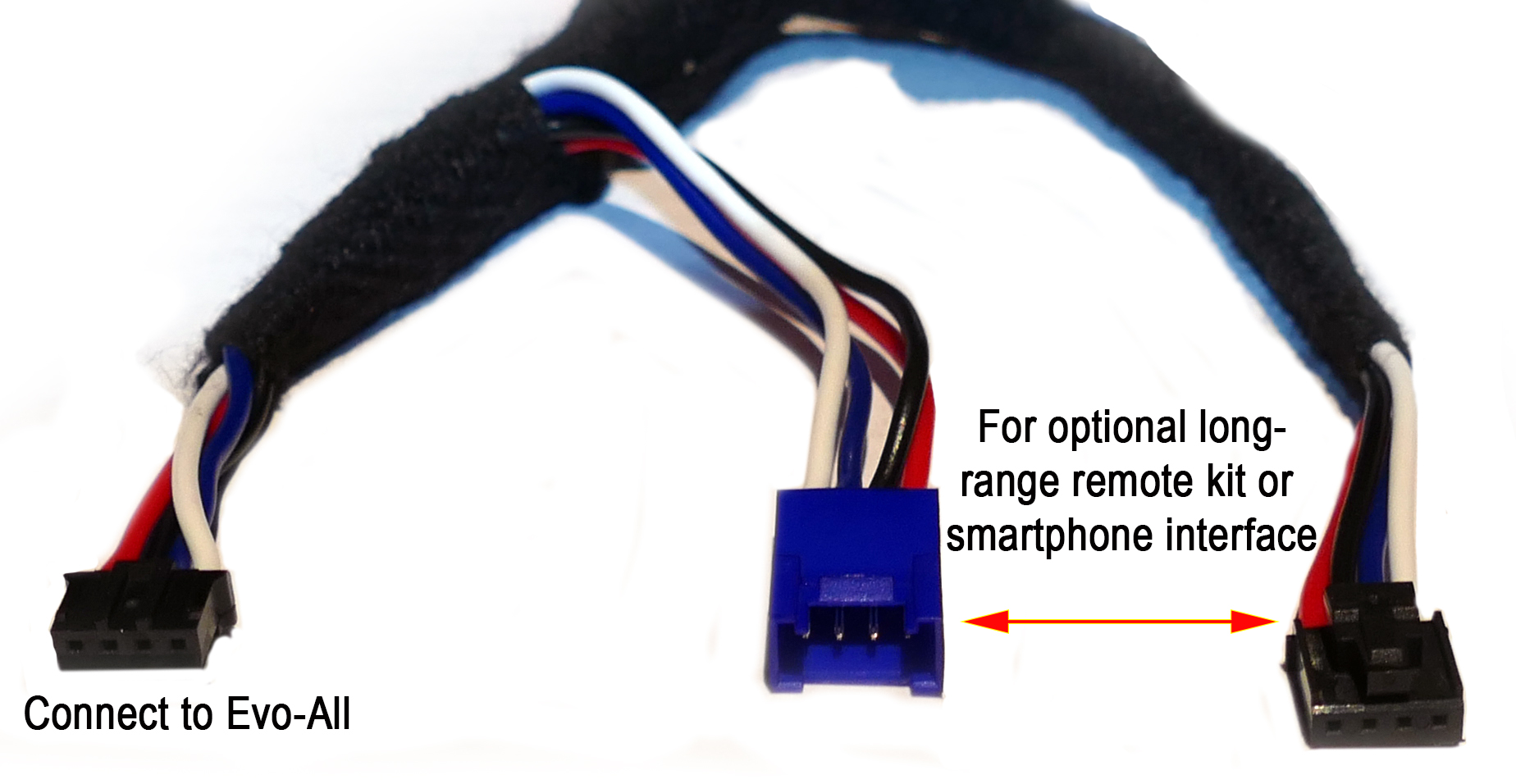
This system can accept up to 4 RF remotes of the same type at a time. Only one controller type may be used by this system at a time. RF remotes will not work along with smartphone module. The vehicles OEM remotes will continue to work as normal with any external controller type.
Click the link below if you have or wish to order additional / replacement remotes or a different controller type including our smartphone interface module, and access complete instructions on how to connect and program each to this specific system:
STEP 5: Finishing up!
After confirming that everything works properly, cap off or tape the ends of any wires you’re not using to avoid grounding or other contacts.
• Now gather up all the wiring and neatly bundle it together using zip ties or electrical tape to prevent the wires from interfering with any of the moving parts under the dash.
• Test the system often when you are putting your vehicle back together.
• Find a secure place to put the remote start module and use zip ties to secure it. Be careful not to zip tie near your connections as it may create a bad connection.
• Replace any interior vehicle panels that were removed to gain access to the needed wires, in reverse order that they were removed.
• Test the system as you reinstall the panels in your vehicle to make sure you do not pull something loose or pinch a wire. Be careful not to run a screw through a wire or pinch a wire while reinstalling panels.
KEY TAKEOVER

Copyrighted 1999-2025 Digitel LLC